Watch Video Tutorial: How to scrape data from multiple categories?
- The Evaluation version of WebHarvy allows only 2 Categories to be scraped using the following features.
-
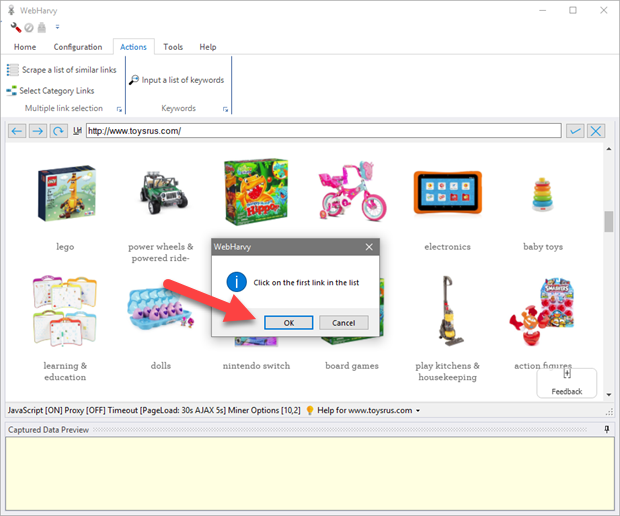
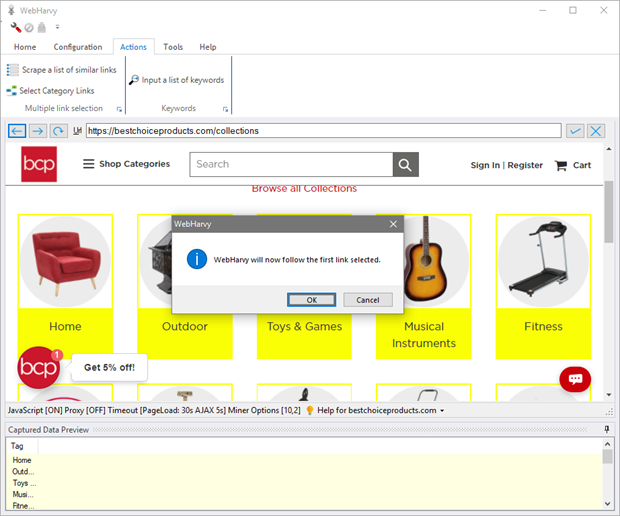
WebHarvy will ask you to click the first link in the list. Click OK and then click on the first link.
-
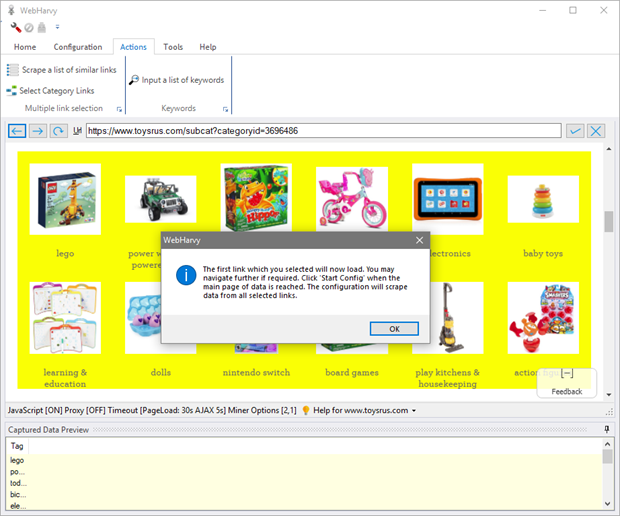
When you click the first link, WebHarvy will automatically parse the remaining links in the page and the selected link names will be displayed in the 'Captured Data Preview' pane. The links selected will be highlighted in yellow background.
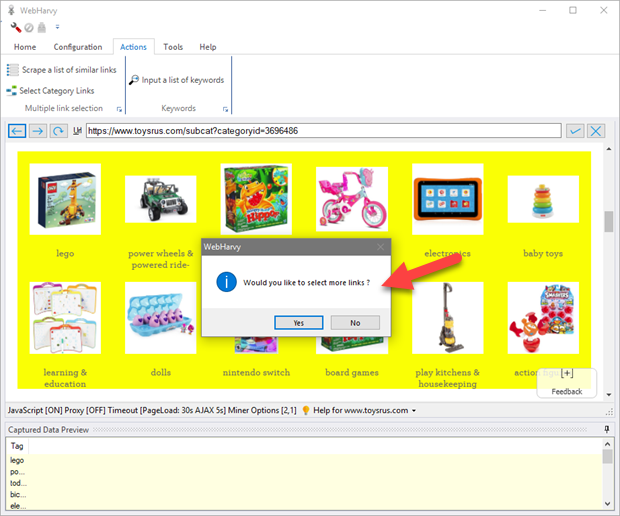
WebHarvy will ask whether you would like to add more links as shown below.
-
Following this the browser will load the first link which you clicked. From here you may navigate further, if required, using direct mouse clicks, to the final page which displays the data to be scraped. Once the page which displays the data to be extracted is loaded, click 'Start Config' to start configuration and select data. Your configuration will be automatically repeated for all selected links.
-
Related Links
- 1. How to edit URLs associated with the configuration ?
- 2. How to select links one-by-one, disable auto-parsing links ?
- 3. How to add an additional data column which displays the category name/URL for each row data ?
- 4. How to configure pagination when pagination links are not present for first category?
Multi-level Category Scraping
WebHarvy supports automatically scraping data from multiple levels of categories within a website. Often, websites like eCommerce sites have several categories and sub categories of listings. WebHarvy, during the configuration phase, can be trained to follow each level of category links and scrape data from the final listing pages.
Watch video demonstration : Multi-level Category Scraping
For this, load the page displaying the top level category links within WebHarvy's browser and click Select Category Links button from Actions menu as shown below.
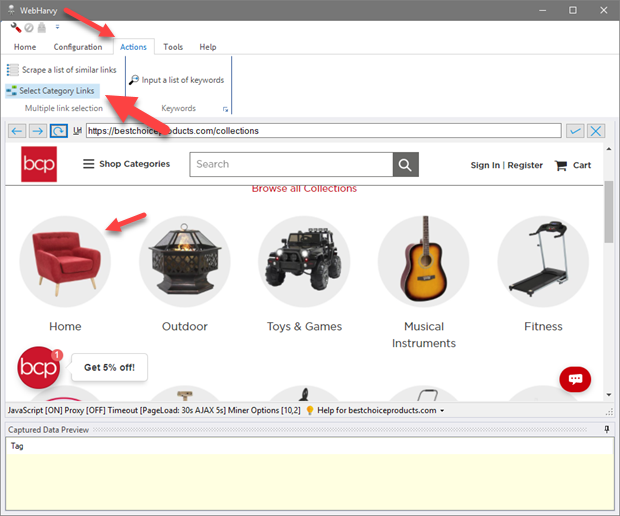
WebHarvy will ask you to click the first category link on the page. Click it. The remaining category links will be automatically identified and WebHarvy will load the first category page.
Once the next page is loaded, if there are sub categories, you can repeat the above steps to select sub category links and navigate further down the category tree. Repeat this till you reach the final listing page from where you need to extract data. Then click the Start button under Configuration panel in Home menu and continue configuration in the normal method, by select data, following links and by configuring the next page link. During mining WebHarvy will automatically traverse the entire category tree of the website and extract data.
Scrape a list of similar links
This is a stripped down version of the Category Scraping feature. Only a single list/level of links can be scraped using this feature. That being the limitation, the advantage over Category Scraping is that this feature allows you to manually select any links which were missed by WebHarvy. The URLs of selected links are directly saved in the configuration. You can see and edit these URLs as explained here.
Watch video demonstration : Scrape a list of similar links
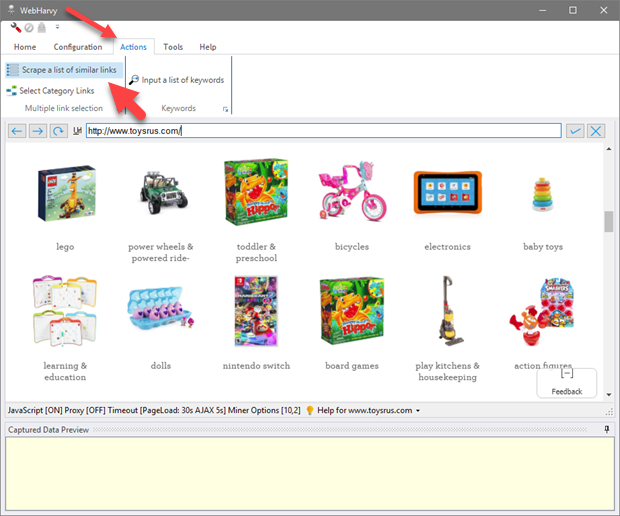
Suppose you need to extract product details listed under various categories of a website. After loading the page which displays links to various categories, click the Scrape a list of similar links button from Actions menu.
In case WebHarvy missed selecting any link, you may click 'Yes' and manually select more links one by one. Just click on a link to add it. When you are done selecting links, click any blank (white) space in the page and the following window will be displayed. Click OK.